
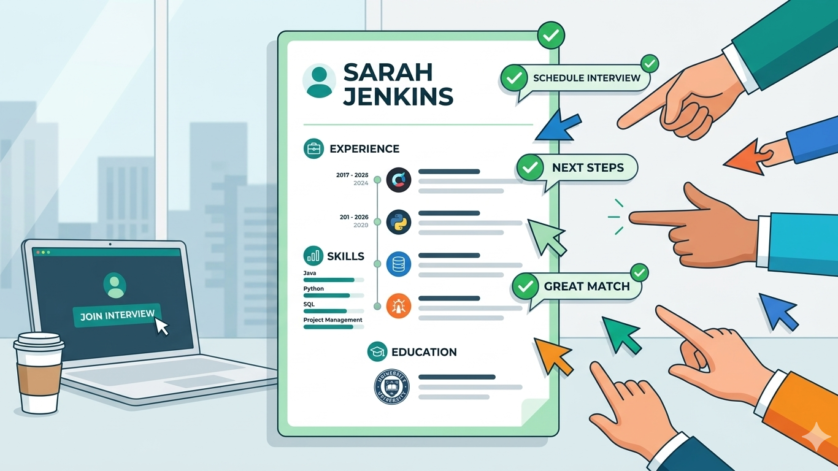
Why a Resume Is Important
A resume is one of the most essential documents in any job application process. It acts as a personal marketing tool that introduces a candidate to employers and highlights their qualifications, work experience, education, and professional strengths. A strong resume helps job seekers present themselves professionally and increases their chances of being selected for interviews.
In today’s competitive job market, employers often receive hundreds of applications for a single role. Because of this, your resume becomes the first impression a hiring manager has about you. A well-written resume can immediately capture attention and demonstrate why you are the right person for the job.
A resume is more than a list of previous jobs. It tells your professional story and shows how your background matches the requirements of a position. Employers use resumes to evaluate whether a candidate has the skills, experience, and potential needed for their organization. This is why creating a clear, organized, and targeted resume is extremely important.
Modern companies also use Applicant Tracking Systems (ATS) to scan resumes before they reach recruiters. Including relevant keywords and maintaining proper formatting helps your resume pass these systems successfully.
Main Sections Every Resume Should Include
Creating a structured resume makes it easier for recruiters to quickly understand your qualifications. Below are the most important sections every professional resume should contain.
1. Contact Information
The top of the resume should clearly display your personal details, including:
- Full name
- Phone number
- Professional email address
- LinkedIn profile (optional)
- Portfolio or website link (if applicable)
This section should be simple, clean, and easy to locate.
2. Professional Summary
A professional summary is a short introduction placed below the contact information. It provides an overview of your experience, skills, and career goals.
A strong summary should:
- Be concise and direct
- Highlight your key strengths
- Match the position you are applying for
- Include relevant industry keywords
This section helps employers quickly understand your value.
3. Work Experience
The work experience section is usually the most important part of a resume. It should list previous jobs in reverse chronological order, beginning with the most recent role.
For each position, include:
- Job title
- Company name
- Employment dates
- Key responsibilities
- Major achievements
Use bullet points and action-oriented language to describe accomplishments. Whenever possible, include measurable results such as sales growth, improved efficiency, or successful project completion.
Example:
- Increased customer satisfaction ratings by 25%
- Managed a team of 10 employees
- Reduced operational costs through process improvements
Quantifiable achievements help employers understand your impact.
4. Educational Background
The education section should include:
- Degree or qualification
- School, college, or university name
- Graduation year
- Certifications or training programs
Fresh graduates can also include academic achievements, projects, or relevant coursework.
5. Skills Section
This section highlights your technical and soft skills relevant to the position.
Examples include:
- Microsoft Office
- Communication skills
- Problem-solving abilities
- Programming languages
- Team management
- Customer service
Tailor the skills section according to the job description to improve relevance.
6. Additional Information
Depending on your background, you can include extra sections such as:
- Certifications
- Volunteer experience
- Internships
- Awards and achievements
- Languages
- Professional projects
These sections can help differentiate you from other candidates.
Resume Formatting Tips
A professional-looking resume improves readability and leaves a positive impression on recruiters.
Choose a Professional Font
Use simple and clean fonts such as:
- Arial
- Calibri
- Times New Roman
Font sizes between 10 and 12 points are recommended for regular text, while headings can be slightly larger.
Maintain Proper Spacing
Good spacing makes your resume easier to read. Avoid overcrowding information and maintain balanced margins throughout the document.
Recommended formatting:
- 0.5 to 1-inch margins
- Consistent line spacing
- Clear section separation
Use Bullet Points
Bullet points help organize information effectively and improve readability. Start bullet points with action verbs like:
- Managed
- Developed
- Coordinated
- Improved
- Designed
This makes achievements more impactful.
Keep the Resume Concise
For freshers or entry-level candidates, a one-page resume is usually sufficient. Experienced professionals may extend their resumes to two pages if necessary.
Avoid adding unnecessary details that do not relate to the target job.
Common Resume Mistakes to Avoid
Many applicants make simple mistakes that reduce their chances of getting shortlisted. Avoiding these issues can significantly improve your resume quality.
Spelling and Grammar Errors
Typos and grammatical mistakes create an unprofessional impression. Always proofread your resume carefully before submission.
Using grammar-checking tools or asking someone else to review the document can help identify errors.
Generic Descriptions
Avoid vague phrases such as:
- Responsible for tasks
- Worked on projects
Instead, describe specific achievements and measurable contributions.
Example:
- Increased website traffic by 40% through SEO optimization
This provides stronger evidence of your abilities.
Including Irrelevant Personal Information
Avoid adding unnecessary details such as:
- Marital status
- Religion
- Age
- Nationality (unless required)
Focus only on information related to the job role.
Using the Same Resume Everywhere
Submitting the same resume for every job application is a common mistake. Employers prefer candidates whose resumes clearly match the specific role.
Customize your resume for each position to improve your chances.
How to Create an ATS-Friendly Resume
Applicant Tracking Systems (ATS) are commonly used by employers to filter resumes automatically. Understanding how ATS works can help your application get noticed.
Use Relevant Keywords
Carefully read the job description and include important keywords related to:
- Skills
- Qualifications
- Tools
- Industry terms
This improves compatibility with ATS software.
Keep Formatting Simple
Avoid:
- Tables
- Graphics
- Images
- Complex designs
Simple formatting ensures ATS systems can read your resume properly.
Use Standard Headings
Use common section titles such as:
- Work Experience
- Education
- Skills
- Certifications
Unusual headings may confuse ATS software.
Save in Compatible Formats
The safest resume formats are:
- DOCX
These are widely accepted and maintain formatting consistency.
Resume Tips for Freshers
Fresh graduates often worry about limited work experience, but they can still create strong resumes by focusing on other strengths.
Freshers should emphasize:
- Academic achievements
- Internships
- Volunteer work
- Technical skills
- Certifications
- College projects
Including extracurricular activities and leadership roles can also strengthen a fresher resume.
Example:
- Organized university events
- Completed internship projects
- Participated in coding competitions
These experiences demonstrate initiative and potential.
Resume Tips for Experienced Professionals
Experienced candidates should focus on:
- Career growth
- Leadership responsibilities
- Major accomplishments
- Industry expertise
Highlight measurable achievements such as:
- Revenue growth
- Team leadership
- Successful project delivery
- Process improvements
Experienced professionals should also include certifications, advanced training, and specialized expertise relevant to their industry.
Why Tailoring Your Resume Matters
Customizing your resume for every job application increases the chances of getting shortlisted.
To tailor a resume effectively:
- Analyze the job description carefully
- Identify important keywords
- Match your experience with job requirements
- Highlight the most relevant achievements
- Adjust the professional summary accordingly
Tailored resumes show employers that you understand the role and are genuinely interested in the position.
Final Resume Preparation Checklist
Before submitting your resume, make sure to:
- Check spelling and grammar
- Verify contact information
- Maintain consistent formatting
- Use clear section headings
- Include relevant keywords
- Keep the content concise
- Save the file professionally
You should also prepare a strong cover letter that complements your resume and explains why you are a suitable candidate for the position.
A professional, well-structured resume can greatly improve your chances of securing interviews and advancing your career. Investing time in creating a polished resume is one of the most important steps toward job search success.